
AION 2 Gear Enhancement Guide: Upgrade Without Waste
Learn AION 2 gear enhancement with five verified menu screenshots: Growth, Manastones, Soul Binding, accessory morphing and Transfer before spending materials.
FAQ
Should I enhance every item while leveling?
Does engraving keep the previous Manastone effects?
Does Transfer move every property to any new item?
Gear enhancement in AION 2 is several separate systems inside one menu. Growth raises an item’s enhancement level; engraving and Soul Binding modify other properties. Treating every glowing button as the next compulsory upgrade is an easy way to spend resources on a piece you will soon replace.
What should you check before spending materials?
Start with the obstacle you are trying to solve: an entry requirement, damage, or survival. Compare the item with your next likely replacement. The beginner progression checklist explains that decision; your class build helps you judge which attributes matter. The five screenshots below come from one recorded client, rather than a promise that every region has identical costs.
Keep Enhancement Stones, Manastones and Soul Binding materials separate in your plan. A surplus in one category does not make another system free. The source recommends saving deeper investment for equipment you expect to retain.
How do the enhancement menus work?
1. Read the Growth preview
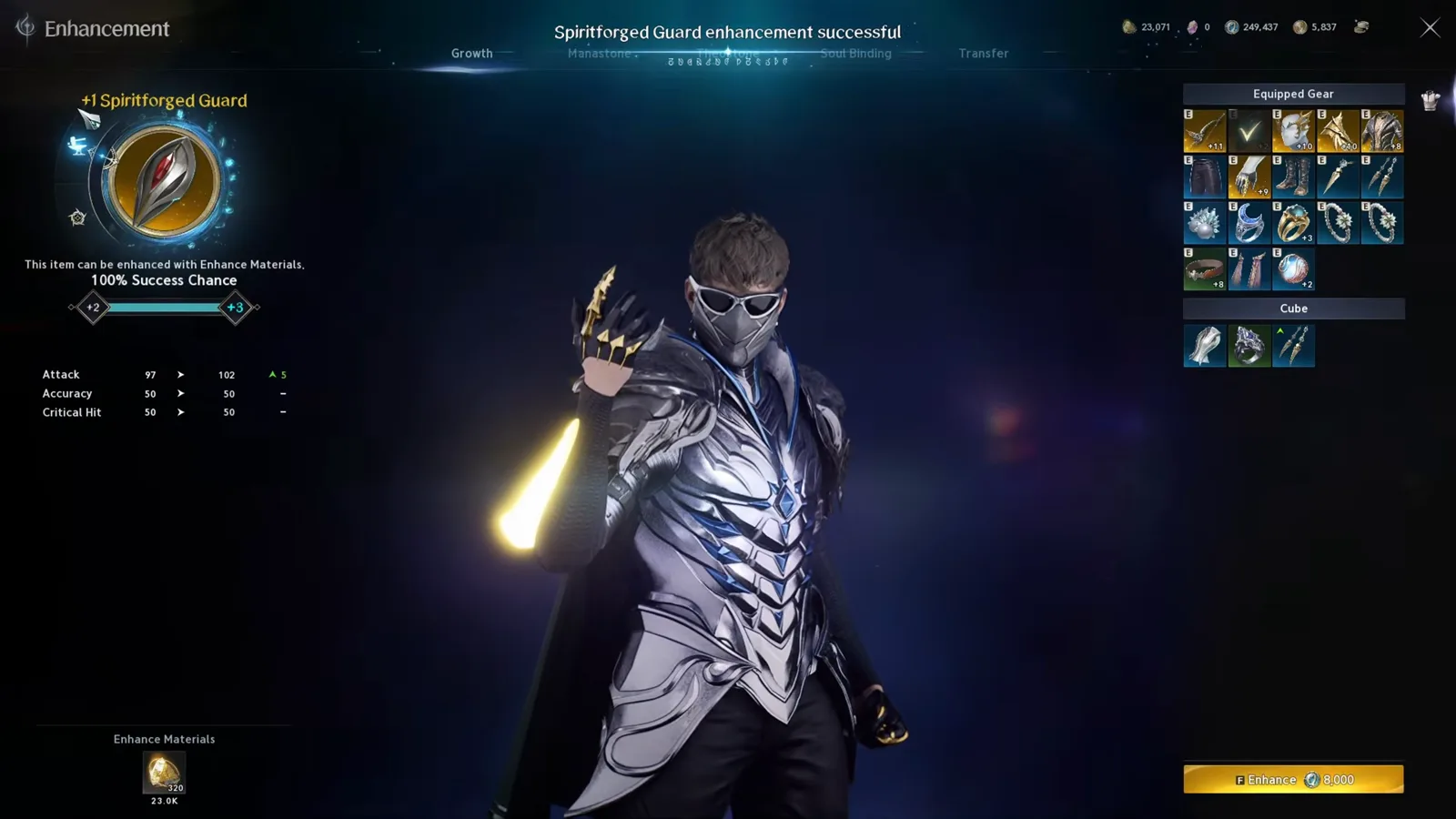
Open Enhancement, select Growth and place the item in the slot. Compare its current and previewed attributes, then read the Enhancement Stone and Kinah costs before confirming. The recorded success message illustrates one item and one upgrade; it does not establish a universal success rate or a fixed account item-level gain.
2. Check the accessory’s next recipe
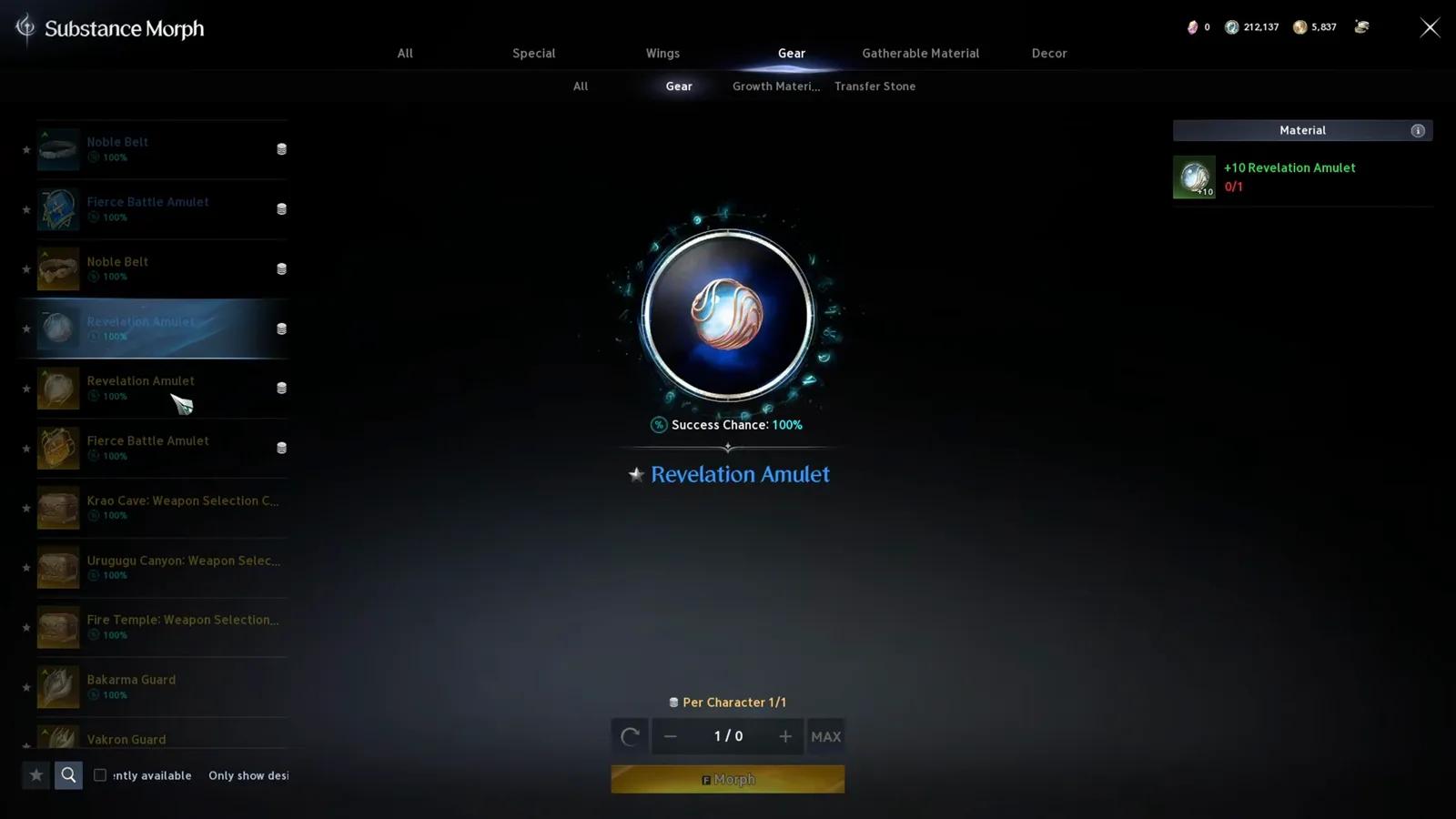
The source treats Noble Belt and Revelation Amulet as longer-term projects. Inspect Substance Morph before investing: the pictured Revelation Amulet recipe consumes a +10 Revelation Amulet. Confirm the exact source item, quality and requirement in your client. This recipe is different from pressing Growth on an ordinary replacement item.
3. Inspect the current Manastone effects before re-engraving
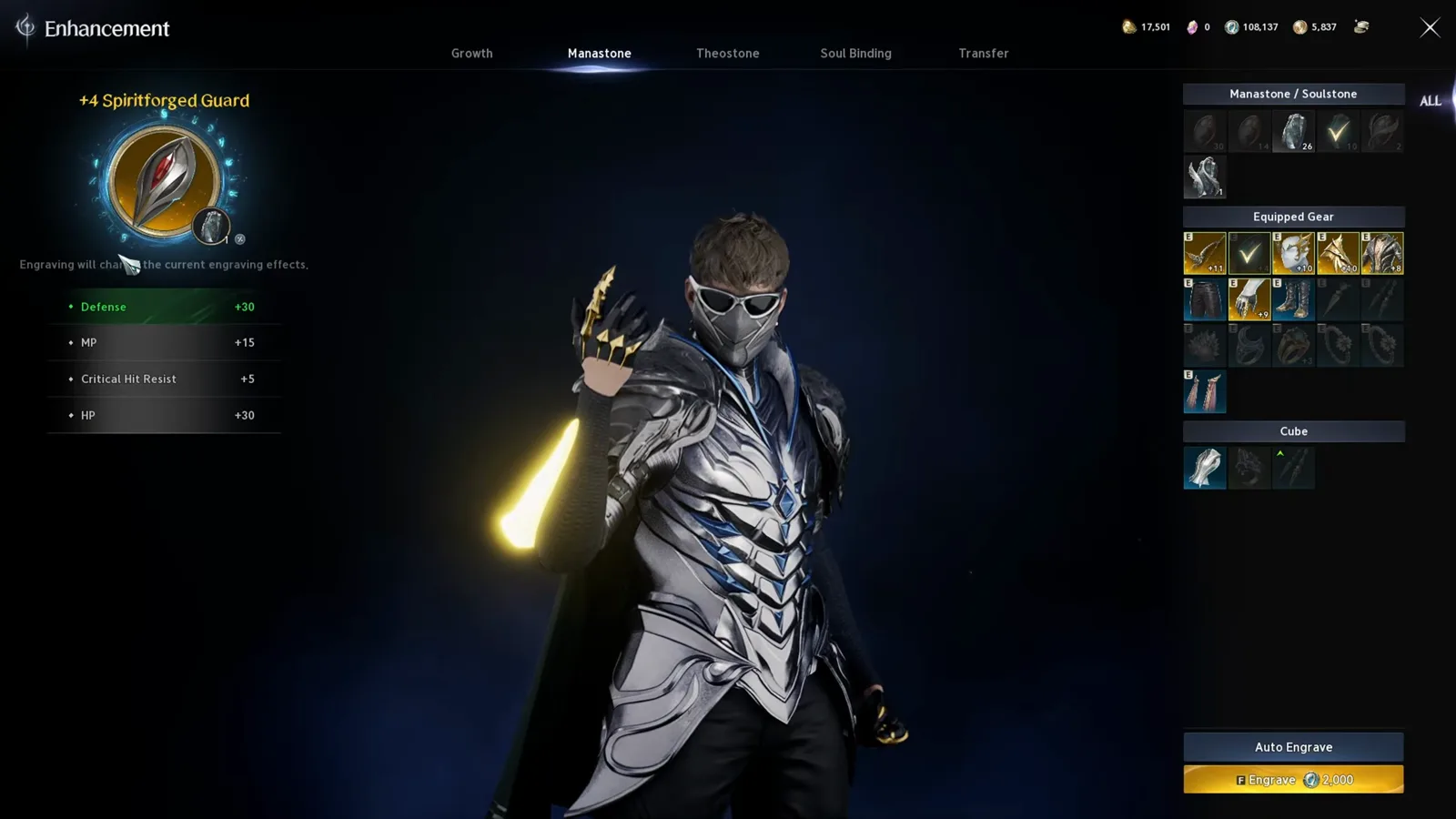
Select the item under Manastone and inspect the listed effects and the warning that engraving changes the current effects. The screenshot does not reveal the next roll. Re-engraving consumes another stone, so read the cost before trying again and assess the result afterward against the needs of your role.
4. Review Soul Binding separately
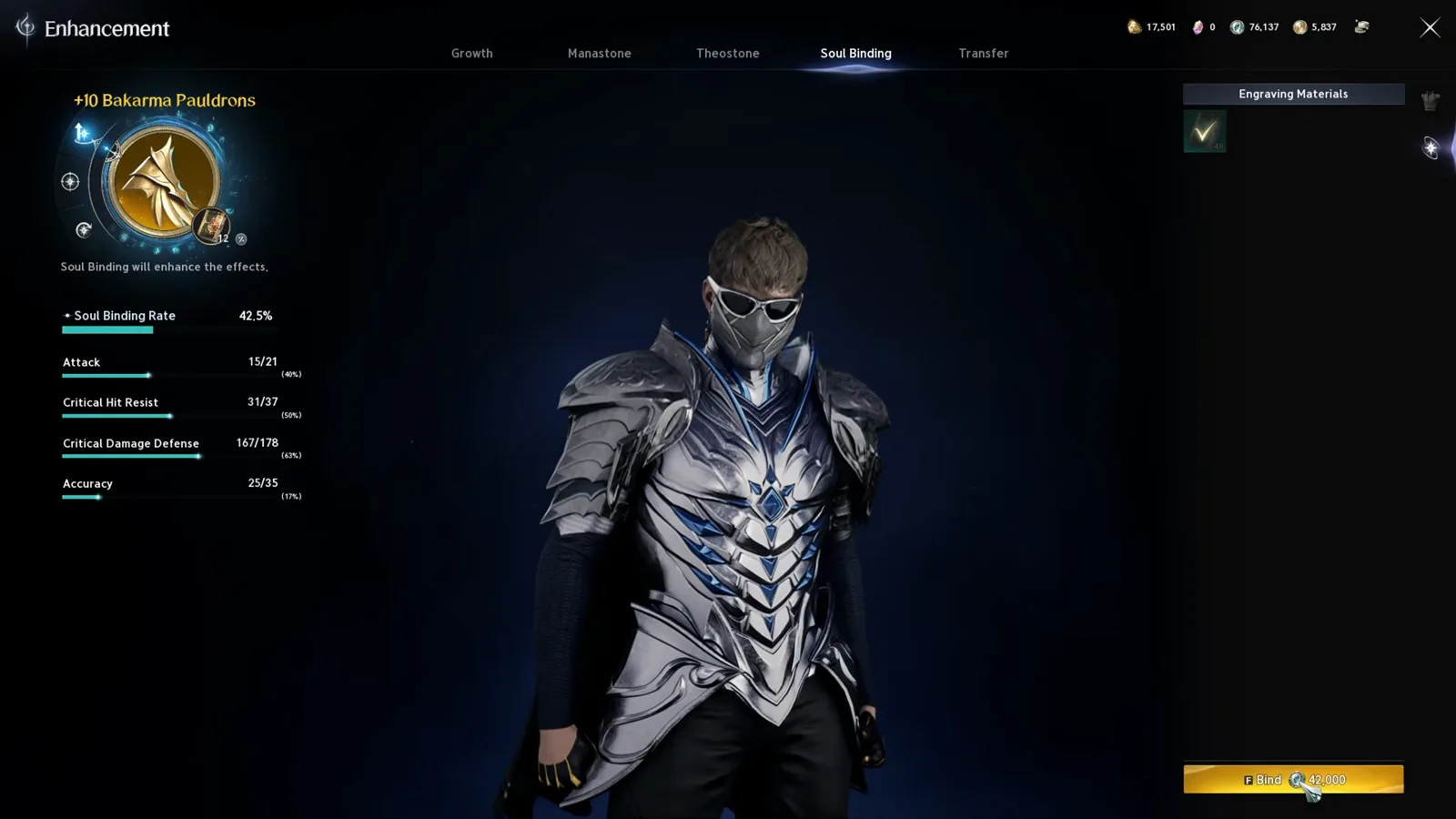
Open Soul Binding and select an eligible piece. The recorded shoulder item displays a binding rate and its affected attributes. The creator uses the appropriate binding material and reviews individual slots. Follow the material tooltip and resulting preview; a higher-looking number in this panel is not a reason to ignore an unsuitable item.
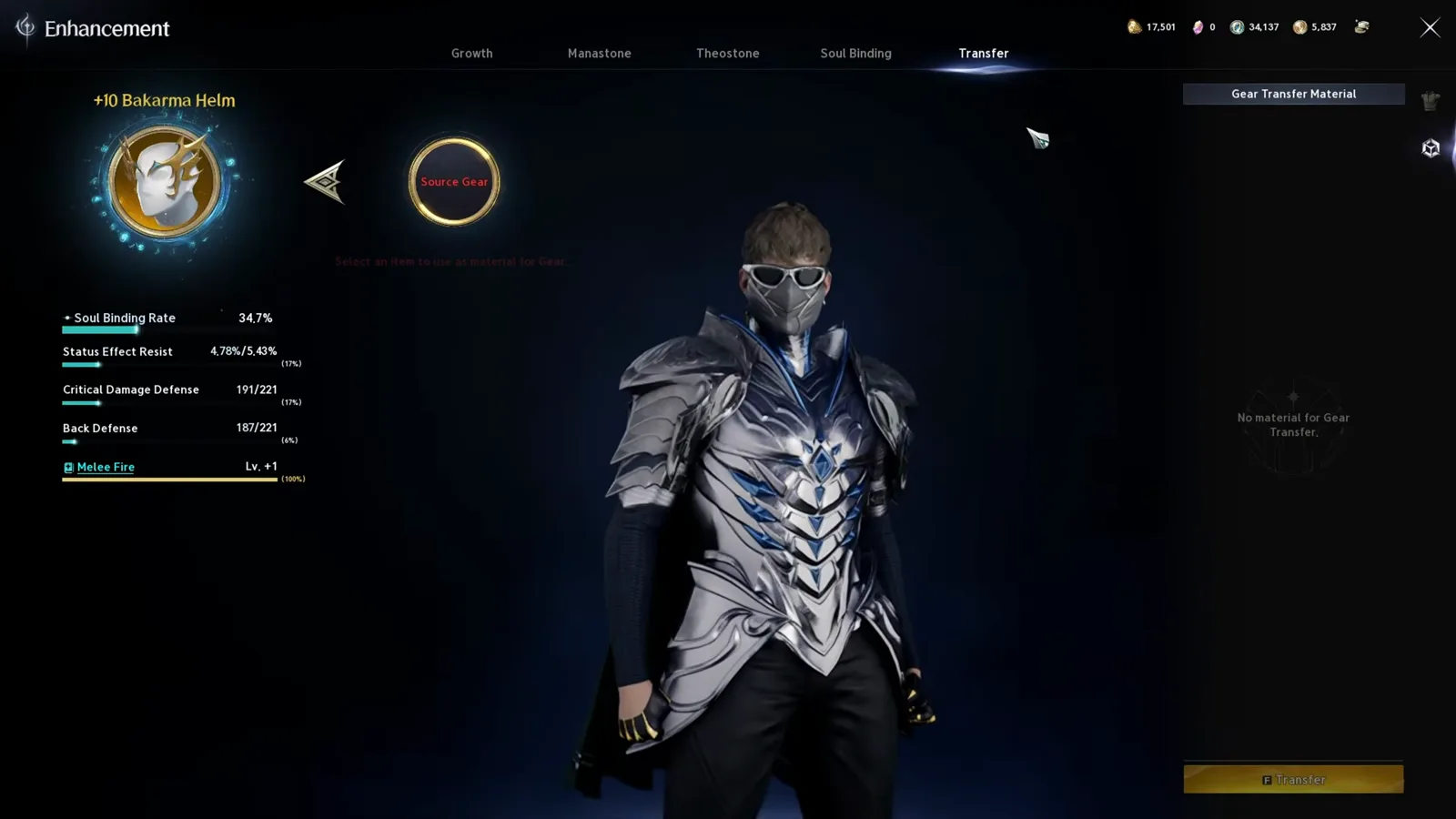
5. Check compatibility before replacing your old gear
Visit Transfer before discarding the old item. In the source, transfer requires equipment of the same type; the pictured helm has an empty Source Gear slot. Place compatible items into the actual preview and read what transfers, what is consumed and what remains. The screenshot demonstrates the menu, not a completed transfer or a guarantee that every property carries over.
Where should you look for Enhancement Stones?
The video points to quest rewards, expeditions, daily dungeons, trials, achievements and supply requests. Open each activity’s reward preview in your own client and check both the reward and reset information. The recorded attempt counts and pass rewards are not reliable substitutes for today’s region-specific activity screen.
Theostones occupy another Enhancement tab. The creator presents them as later progression and shows that only compatible items accept them. Read the item’s eligibility text and the stone’s effect before spending; a proc shown on the creator’s weapon does not automatically suit your build.
How do you avoid an expensive wrong turn?
Keep the old item until the replacement and any transfer have been checked. Make one change, review its result, and then decide whether to spend again. If dungeon execution is the real obstacle, learn the Vakron Sky Island mechanics before buying several upgrades at once. If input selection is the problem, use the targeting settings walkthrough. Better control can resolve a problem that another enhancement would only mask.
The screenshots are credited to MistaWigglez’s linked tutorial. This page was reviewed October 16, 2026; its spending priorities are editorial advice based on the demonstrated systems, with no invented upgrade success rates or promised gear-score route.
Related Articles
guides
AION 2 Vakron Sky Island Guide: Normal Boss Mechanics
Clear AION 2 Vakron Sky Island on Normal with an illustrated guide to root cleansing, first-boss pools, the updraft route, Thamon and Surging Thorn.
guides
AION 2 Beginner Guide: Classes, Builds and First Steps
Start AION 2 with a practical beginner checklist: choose a class, coordinate your faction, learn combat and plan early upgrades without wasting resources.
guides
AION 2 Elyos or Asmodians: Which Faction to Choose
Choose Elyos or Asmodians in AION 2 by friends, region, server and world preference. Understand what faction choice changes before creating a character.
Was this helpful?
Thanks for the feedback!